

TL;DR — Quick verdicts
Best for tables that record their sessions: Tavern Scribe (our product) — upload the session audio or video and the notes, recap, and searchable campaign history build themselves, on top of a free virtual tabletop. Best manual campaign wiki: World Anvil for a player-facing world encyclopedia, or Obsidian for free local markdown you own outright. Best free simple option: a shared Google Doc — still the honest baseline every app below has to beat. Already on Roll20? Its journal is the notes surface closest to your battle map.
Last updated: July 21, 2026.
Disclosure, up front: Tavern Scribe is our product — we've marked it clearly and kept the comparisons factual. Every claim about another tool below was checked against that tool's own current site, and anything we couldn't verify we hedged or left out instead of guessing.
Every long campaign dies the same small death. Session 3 notes are meticulous, session 12 notes are four bullet points, and by session 20 nobody remembers why the party swore vengeance on a duke whose name has three spellings across two notebooks.
A D&D session notes app exists to stop that decay. In 2026 they split into two families: AI notetakers that build the notes from a recording of your session, and manual tools where someone at the table writes everything down. This list covers the manual family in depth, plus the tool we know best from the AI side.
About that AI side: dedicated AI notetakers are a real category now — subscription tools whose whole job is turning a session recording into recaps, and several do it well. Tavern Scribe's difference isn't the transcription; it's the address. The notetaker lives inside a free virtual tabletop and campaign workspace, so the recap, the wiki, the quest log, and the battle map share one home instead of another subscription running next to wherever you play.
The comparison at a glance
| App | Price / free tier | Auto notes from recordings | Works without AI | Wiki / linking | Built-in VTT |
|---|---|---|---|---|---|
| Tavern Scribe | Free core; AI metered (first campaign includes 100 free silver) | Yes — audio & video | Yes | Yes | Yes — free |
| World Anvil | Free tier; Guild from $4.50/mo billed annually | No | Yes | Yes — articles + autolinker | No |
| Kanka | Free (unlimited campaigns); boosters from $4.99/mo | No | Yes | Yes — @mention entity linking | No |
| LegendKeeper | 14-day trial, then $9/mo ($7.50/mo annual) | No | Yes | Yes — auto-linked wiki, maps & boards | No |
| Obsidian | Free (Sync from $4/mo, optional) | No | Yes | Yes — backlinks + graph | No |
| Notion | Free plan; Plus $10/member/mo | No | Yes | Yes — databases + links | No |
| Roll20 | Free tier; Plus $5.99/mo, Pro $10.99/mo | No | Yes | Partial — journal folders & handouts | Yes — free |
| OneNote | Free (Microsoft 365 from $9.99/mo for extras) | No | Yes | Basic — notebooks & page structure | No |
| Paper / Google Docs | Free | No | Yes | No | No |
Pricing and features were checked in July 2026 against each vendor's own site and documentation.
1. Tavern Scribe — best if your table records sessions
Tavern Scribe is our product, and its bet is simple: the best session notes are the ones nobody has to take. Record your session however your table already does — a phone on the table works — and upload the audio or video. The AI D&D session recap tool turns the recording into a written recap, a chronological event timeline, character updates, and quest progress, with every event linked to the exact timestamp where it happened.
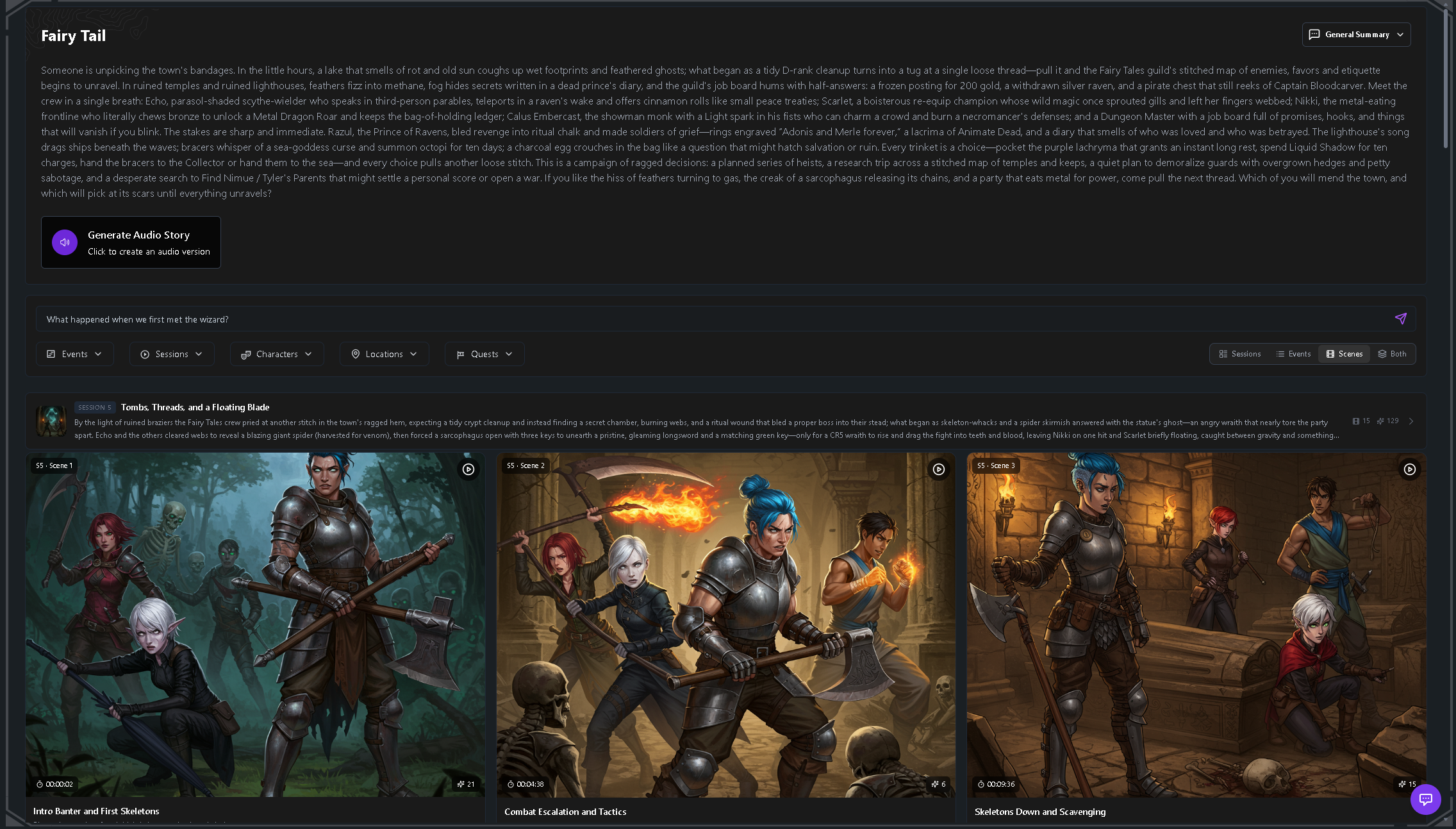
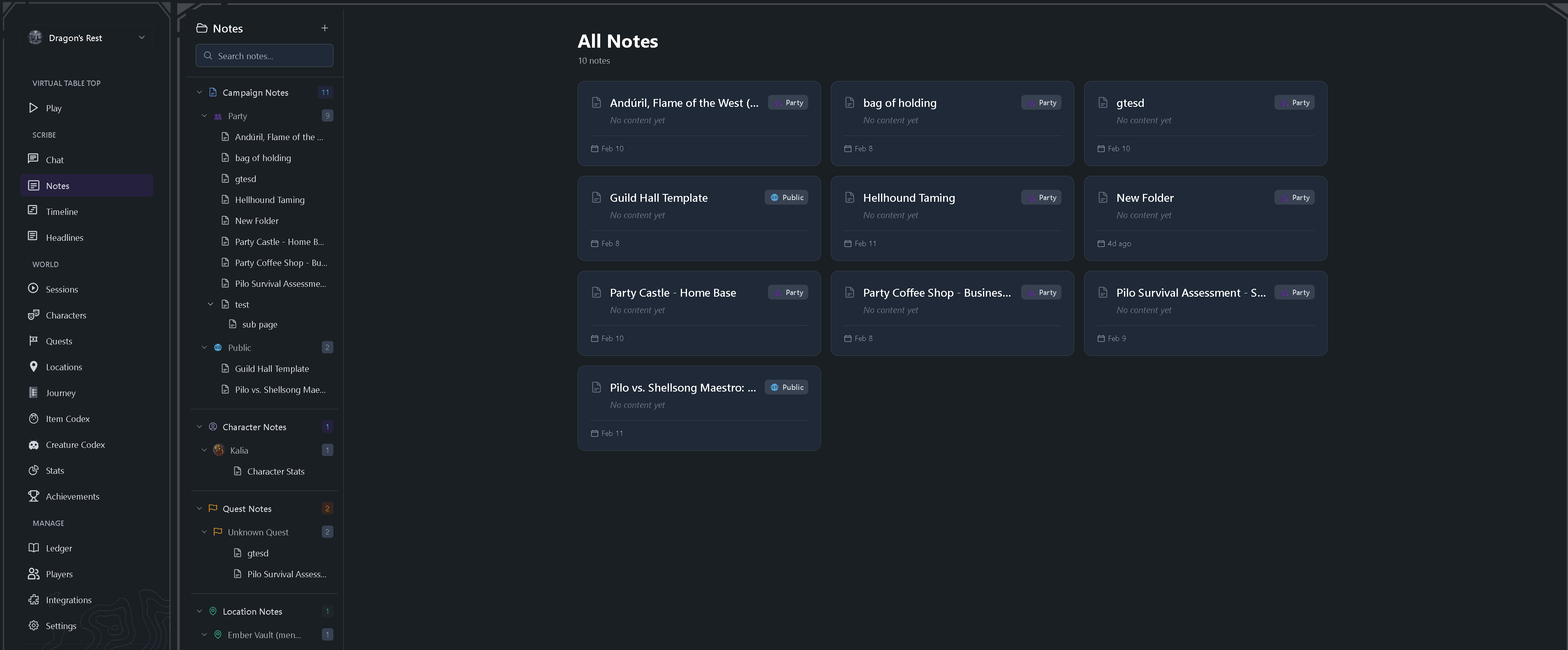
The other half of the product is what dedicated AI notetakers skip: the table itself. A free virtual tabletop with maps, tokens, fog of war, initiative, party chat, and 3D dice lives in the same workspace, so the campaign wiki and the battle map share one state. An AI Q&A over your campaign history and a generated campaign newspaper with ten in-world writers turn recaps into something players actually open.
The honest catch is the meter. The core workspace — VTT, shared notes, campaign journal, character and quest tracking — is free with no time limit, but AI processing runs on "silver": your first campaign starts with 100 free silver, then monthly subscriptions ($10–$100/month) or one-time packs players can chip into. If your table never records sessions, the headline feature sits unused.
Pros: Notes, recap, and timeline generated from audio or video; free full-featured VTT in the same workspace; timestamp-linked events; whole table shares one campaign memory.
Cons: AI processing is metered after the free silver; browser-based, so no local files you own like Obsidian; overkill if you only want a plain text editor.
Best for: Tables that record their sessions and want the notes, recap, and campaign wiki to write themselves.
2. World Anvil — best full worldbuilding platform
World Anvil is the heavyweight of manual campaign wikis: a worldbuilding platform with templated articles for characters, settlements, organizations, and nearly everything else, plus interactive maps, timelines, calendars, and an RPG campaign manager. Its Autolinker cross-references articles automatically, and privacy controls decide which parts of your world players see.
The free Freeman tier is a real start with hard walls: at the time of writing, 2 worlds, 42 articles, 1 RPG campaign, and 100 MB of image space — a long campaign will outgrow that before the first arc ends. Paid Guild tiers start at $4.50/month billed annually (Master — more storage, family trees, advanced maps, access for up to 10 players); Grandmaster at $8.25/month adds homebrew statblocks and character sheets; Sage at $25/month is the professional tier.
The trade-off is the same as its strength: World Anvil is enormous. Every article is hand-typed, the feature list takes real time to learn, and if all you want is "what happened last session," it can feel like buying a castle to store a notebook.
Pros: The deepest feature set of any campaign wiki here; automatic article linking; strong player-access and privacy controls; usable free tier.
Cons: Free tier's 42-article cap is tight for a real campaign; everything is manual; big learning curve.
Best for: DMs who want their notes to grow into a full, player-facing world encyclopedia — and enjoy the writing.
3. Kanka — best free campaign manager
Kanka organizes a campaign into linked entities across 20+ categories — characters, locations, organizations, families, quests, timelines, calendars, maps — and the linking is the point: @mention a character in a session log and it links automatically, so one click takes you from a city to its ruler to the war they started. Permissions let you invite players and co-GMs and control exactly what each person sees and edits.
The free tier is the story here. By Kanka's own site, it isn't a trial: unlimited campaigns, unlimited entries, and the core feature set. Paid boosters ($4.99–$24.99/month) mostly add premium campaigns and larger file uploads.
The costs are the manual-tool usuals: session logs only exist if someone writes them, the entity structure takes setup before it pays off, and there's no play surface — Kanka tracks the campaign you're playing somewhere else.
Pros: Genuinely free with unlimited campaigns and entries; automatic @mention linking; per-player permissions built in; highly customizable.
Cons: All hand-typed; entity structure has a learning curve; no VTT and no AI layer.
Best for: Budget-conscious tables that want a structured, permission-aware campaign tracker for free.
4. LegendKeeper — most polished collaborative world wiki
LegendKeeper is the design-forward option: a worldbuilding wiki where pages link automatically, nested interactive maps work like Google Maps for your world, timelines catalog your history, and infinite whiteboards map relationships and quest flows. It collaborates in real time with granular permissions to keep GM secrets hidden, works offline and syncs later, and exports cleanly so your world isn't locked in.
Pricing is refreshingly simple: one Pro plan at $9/month ($7.50/month billed annually) with unlimited projects, pages, maps, and collaborators, after a 14-day free trial that needs no credit card. There's no ongoing free authoring tier — a free account can view and export, not build. LegendKeeper also states outright that it has no generative AI features — a deliberate stance: every word in your wiki is one a human wrote.
Pros: Fast, polished, and built for collaboration; automatic linking plus best-in-class nested maps; offline support and real exports; one flat price for everything.
Cons: No free tier beyond the trial; manual only, by design; no VTT.
Best for: Groups happy to pay one subscription for a beautiful shared world wiki they build together.
5. Obsidian — best manual option for note-loving DMs
If writing session notes is part of the joy for you, Obsidian is the best manual tool ever made for it. Your campaign lives in plain markdown files on your own machine, with backlinks and a graph view that turn scattered notes into a genuine wiki — type [[Lord Cassian]] anywhere and his page accumulates every mention.
The core app is free for personal and commercial use. Sync across devices is the paid extra ($4/month billed annually), though many DMs sync their vault free through their own cloud storage, and a huge plugin ecosystem covers most TTRPG needs.
The cost is your time. Obsidian automates nothing — every NPC page, every recap, every link is you — and sharing a vault with players takes real setup. That's a feature for solo world-builders and a bug for tables that want shared, effortless notes.
Pros: Free; your files, forever, in plain markdown; best-in-class linking and graph; massive plugin ecosystem.
Cons: Everything is manual; multiplayer sharing is DIY; the blank vault has a real learning curve.
Best for: DMs who love writing and organizing their own notes and want to own them outright.
6. Notion — best if your group already lives in it
Notion is the generalist of this list. Databases with custom properties make genuinely good quest logs and NPC trackers, the free plan is generous for personal use (unlimited blocks for a single user, up to 10 guests), and free D&D campaign templates abound.
As a shared campaign home it works: invite your players as guests, hand them the session notes database, and everyone edits the same pages. Paid plans start at $10/member/month, and Notion's AI features are built for meeting notes and work docs, not for turning a four-hour D&D recording into a recap.
The weakness is that Notion doesn't know anything about TTRPGs. You're the database administrator: every relation between an NPC and a location is one you design and maintain, and by session 20 that maintenance is a second job.
Pros: Free plan works for most tables; real databases for quests, NPCs, and loot; easy sharing; endless community templates.
Cons: You build and maintain all the structure; needs internet; 5MB file-upload limit and 7-day page history on the free plan.
Best for: Groups that already use Notion and want the campaign in the same place as everything else.
7. Roll20 — best notes surface if you already play there
Roll20 is a virtual tabletop first, but for the many tables already playing on it, the journal is a session-notes answer hiding in plain sight. Handouts and character entries organize into folders; every handout carries a shared notes field plus a GM-only notes field; and per-player permissions grant view or edit access by name — a shared "session notes" handout any player can update is a two-minute setup, one tab from the battle map.
The free tier is genuinely free — 1,200+ supported game systems, unlimited games and players, and 100 MB of asset storage — while Plus ($5.99/month) and Pro ($10.99/month) add storage, dynamic lighting, and mod access rather than gating the journal.
The limits show up as campaign memory: the journal is tied to each game, organization is folders and search rather than a backlinked wiki, and there's no recap generation — the journal only holds what someone types. It's a filing cabinet next to the table, not an encyclopedia; for many tables that's enough.
Pros: Notes live where you already play; shared and GM-only fields with per-player permissions; real free tier; folders keep handouts organized.
Cons: Journal is per-game rather than per-world; no backlinks or graph; someone still has to type everything.
Best for: Tables that already play on Roll20 and want notes next to the map instead of a separate app.
8. OneNote — best for handwritten-digital hybrid notes
OneNote remains the sleeper pick for one specific DM: the one with a stylus. Its freeform canvas is the closest thing to paper that still syncs — sketch a marching order next to typed initiative notes, circle things, and it all lands in one notebook. The app is free on PC, Mac, and mobile; Microsoft 365 subscriptions (from $9.99/month) add storage and Copilot AI limits.
The notebook → section → page hierarchy maps neatly onto campaign → arc → session, and for capture speed in a live session it's hard to beat. Retrieval is where it falls behind: no backlinks or graph, so "every scene featuring Cassian" means manual search across freeform pages — and Copilot is general-purpose office AI, not session-recording analysis.
Pros: Free and everywhere; best-in-class stylus and freeform input; familiar to almost everyone.
Cons: No wiki-style linking; retrieval gets worse as the campaign grows; TTRPG structure is entirely DIY.
Best for: DMs who think with a pen and want their handwriting to survive between sessions.
9. Paper & Google Docs — the honest baseline
Let's be fair to the incumbent: a notebook or a shared Google Doc is free, needs zero onboarding, and works when the Wi-Fi doesn't. For a one-shot or a six-session arc, a single running doc every player can open is genuinely fine — plenty of legendary campaigns ran from a spiral notebook.
The failure mode is time. A 40-page doc has no structure: no NPC pages, no links, no way to answer "have we met this merchant before?" without scrolling and praying. Recaps only exist if someone does homework, and the someone is always the DM.
The right question isn't "which app is best?" — it's "what does my table actually lose to the doc?" If the answer is "nothing yet," stay. Most tables find out around session 10.
Pros: Free; zero learning curve; works for every system and table style.
Cons: No structure, no links, no search that scales; recaps depend on one person's discipline.
Best for: One-shots, short campaigns, and tables that haven't felt the pain yet.
How we compared
We reviewed each app's current public documentation, feature pages, and pricing pages in July 2026, along with community feedback where available. We did not do hands-on testing of the other tools, so we've limited claims to what each vendor documents about its own product, and hedged or omitted anything we couldn't verify. We know Tavern Scribe from the inside, which is exactly why we've disclosed it and kept its entry to the same standard. If we've gotten something wrong about your tool, tell us and we'll fix it.
FAQ: D&D session notes apps
What is the best free D&D session notes app?
For hand-typed notes, Kanka (free, unlimited campaigns) and Obsidian (free, local markdown) are the strongest picks, and World Anvil's free tier works for a small world. Tavern Scribe's core workspace — shared notes, campaign journal, and the virtual tabletop — is also free with no time limit; only the AI processing is metered.
Can AI really take D&D session notes automatically?
Yes. Tavern Scribe and a category of dedicated AI notetakers turn a recording of your session into structured notes — recaps, timelines, NPC and quest updates — with no notetaker at the table. Quality tracks your audio, so put the mic near the middle of the table.
What if I like taking handwritten notes?
Keep taking them — an app should never replace something that's working. OneNote is the best bridge, keeping stylus handwriting searchable and synced; Obsidian suits people who like writing but want typed, linked notes. AI notetakers are for tables where nobody wants the job.
Do these apps work for Pathfinder and other TTRPGs?
Almost all of them. Tavern Scribe supports D&D 5e, Pathfinder, Daggerheart, Call of Cthulhu, and homebrew; Roll20 lists support for 1,200+ game systems; World Anvil's Grandmaster tier supports homebrew statblocks and sheets; and manual tools don't care what system you play.
Do I need my players' permission to record sessions?
Yes — ask the whole table before the first recording; every AI notetaker depends on it. Make it an opt-in session-zero conversation, and check what any tool does with your audio (Tavern Scribe doesn't train AI models on your campaign data).
How much does a D&D session notes app cost?
Most of this list is genuinely free: Kanka, Obsidian, OneNote, Google Docs, and Roll20's core tier cost nothing, and World Anvil and Notion have workable free plans. LegendKeeper is the outlier at $9/month after its trial. Dedicated AI notetakers typically sell monthly subscriptions; Tavern Scribe instead runs on metered silver — your first campaign includes 100 free silver, then $10–$100/month subscriptions or one-time packs the party can chip into.
Tags: Session Notes, Dnd Session Notes App, Ai Notetaker, Campaign Management, Dungeon Master Tips, Tool Comparison
