
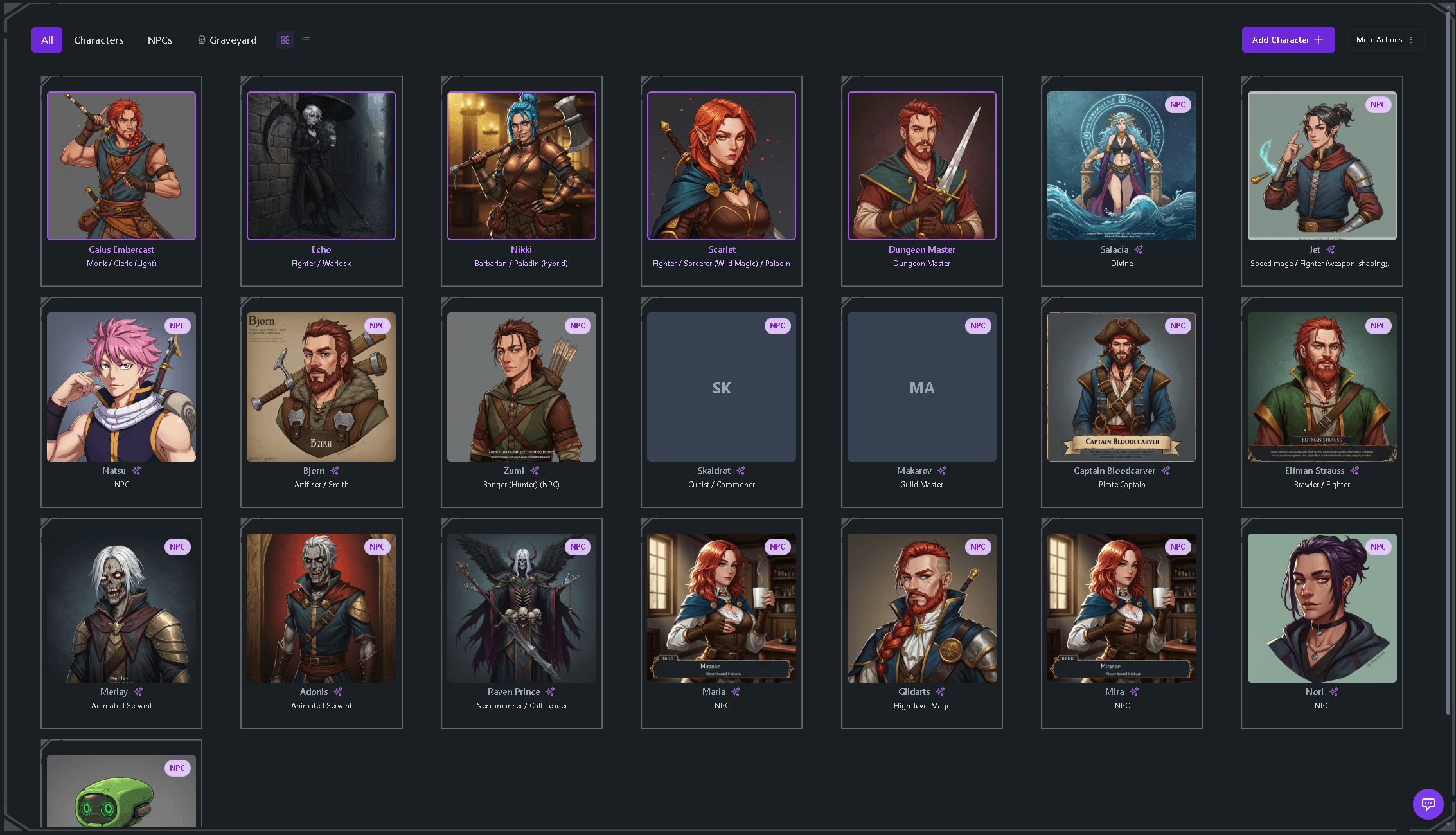
Characters and NPCs
Every PC, NPC, and fallen character the party meets, with portraits, bios, and their history across the campaign — no more "wait, who was that innkeeper?"

AI Notetaker
Tavern Scribe is an AI notetaker for TTRPG sessions that works from recordings, not from typing. Record your session on the free virtual tabletop where you play, let the Tavern Scribe Discord bot record your voice channel, or upload any audio or video file — and the AI generates structured session notes, character and quest updates, and a searchable campaign history. It works for D&D, Pathfinder, Daggerheart, Call of Cthulhu, and homebrew systems.
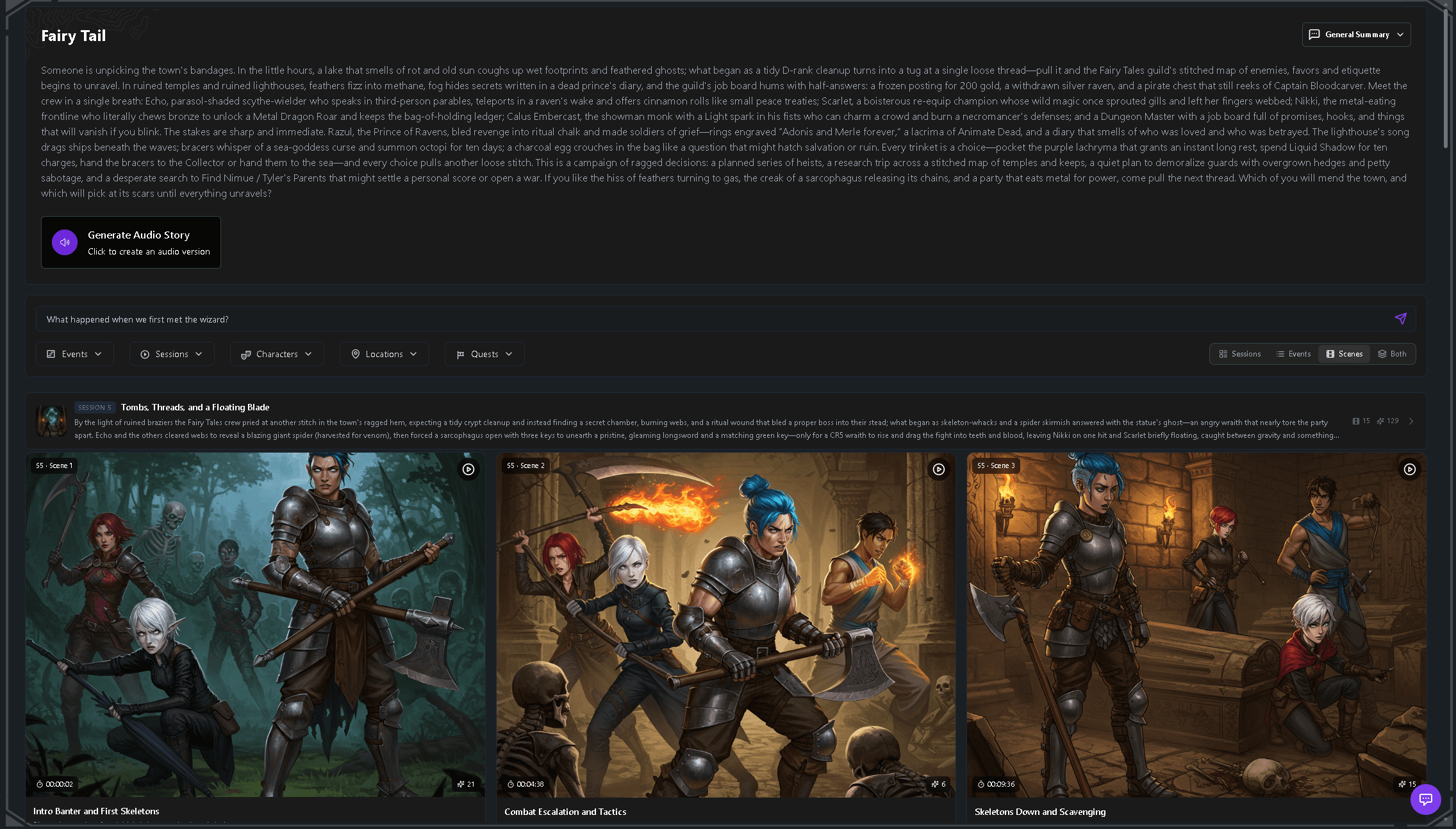
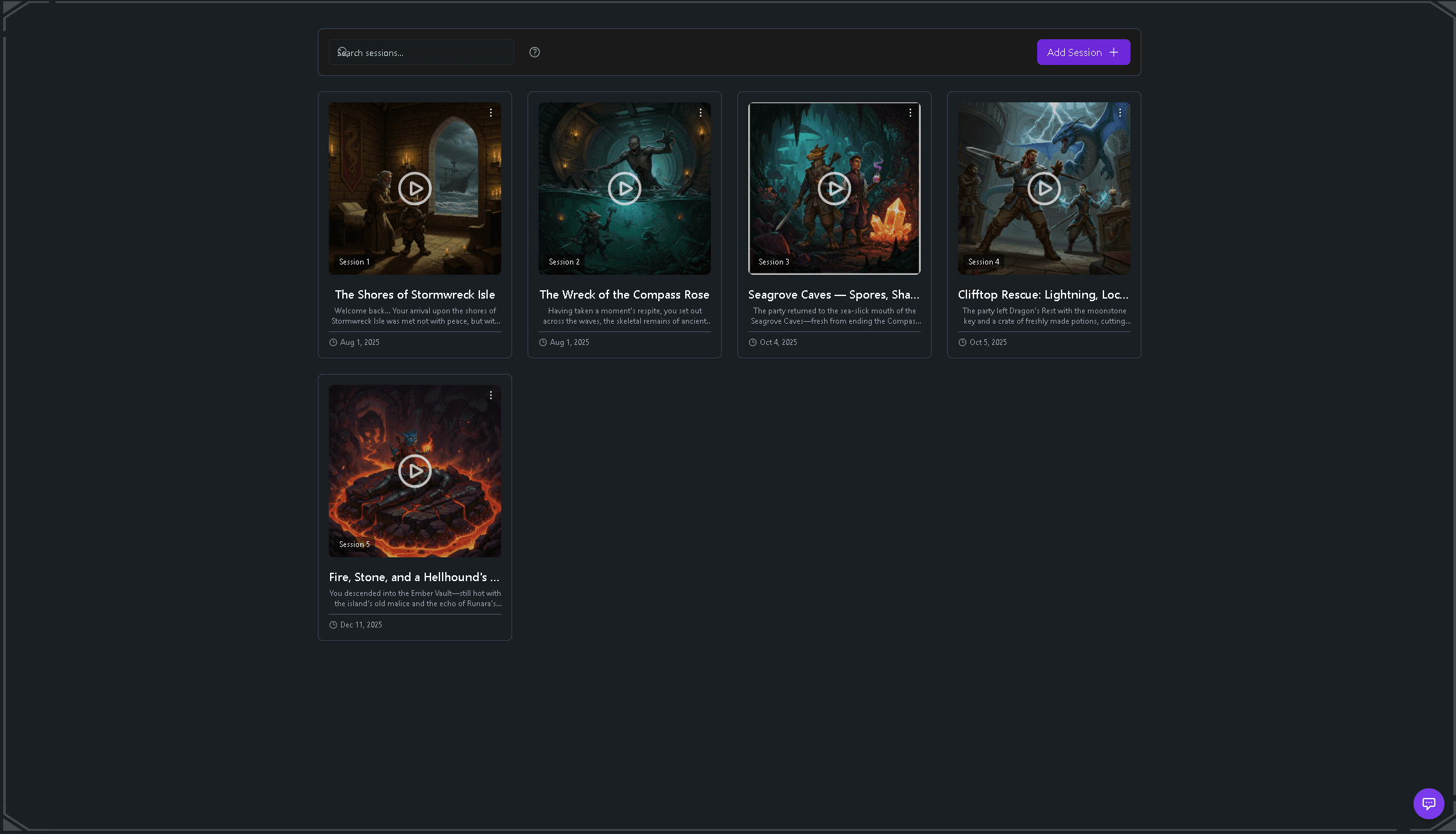
The session record writes itself from the recording — summaries, scenes, and a timeline you can search later.
What it captures
A summary is the least of it. The notetaker turns the recording into structured campaign records that stay searchable for the life of the campaign.
Every PC, NPC, and fallen character the party meets, with portraits, bios, and their history across the campaign — no more "wait, who was that innkeeper?"
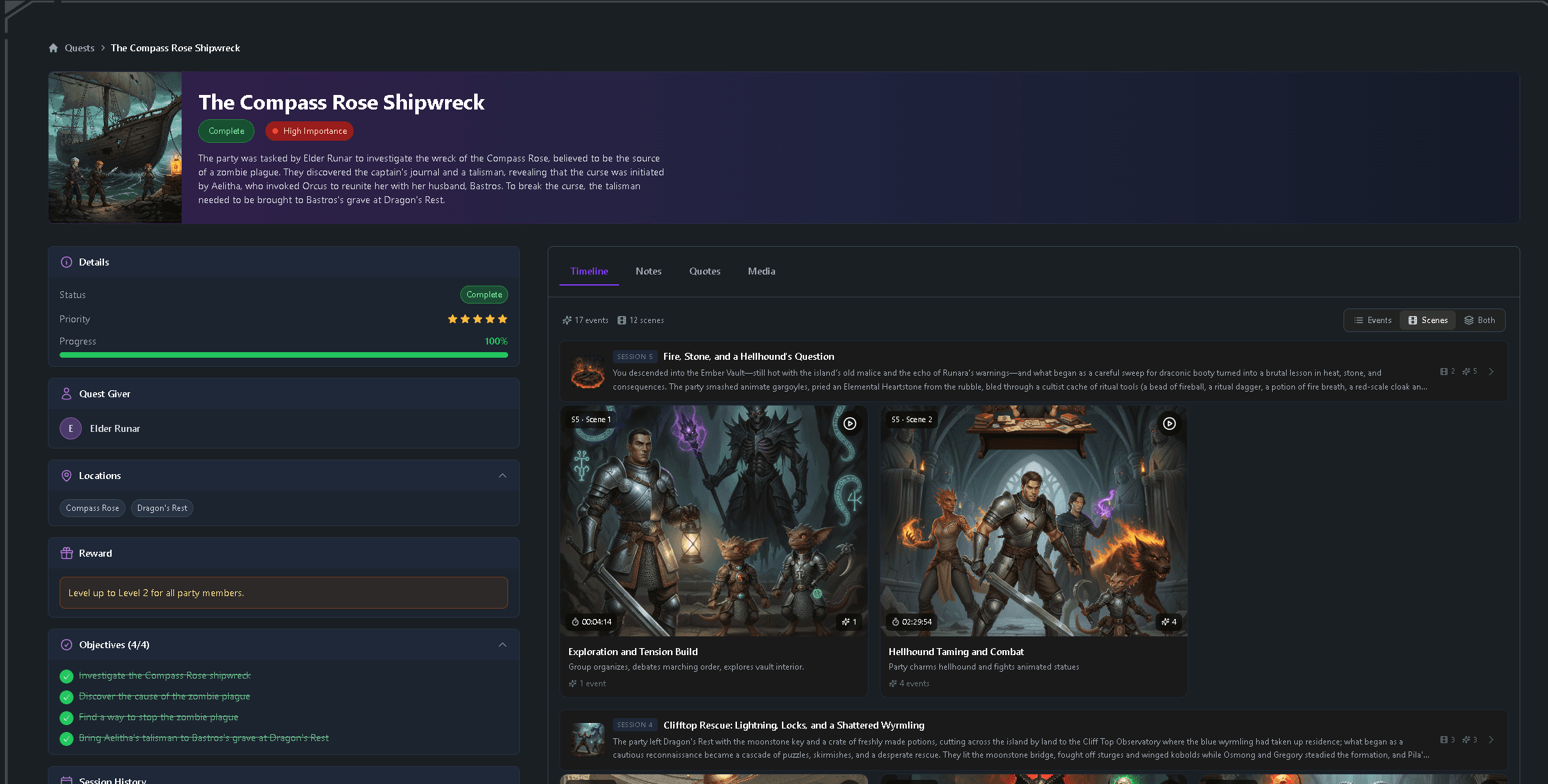
Active, available, and completed quests with objectives and rewards, updated from what actually happened at the table.
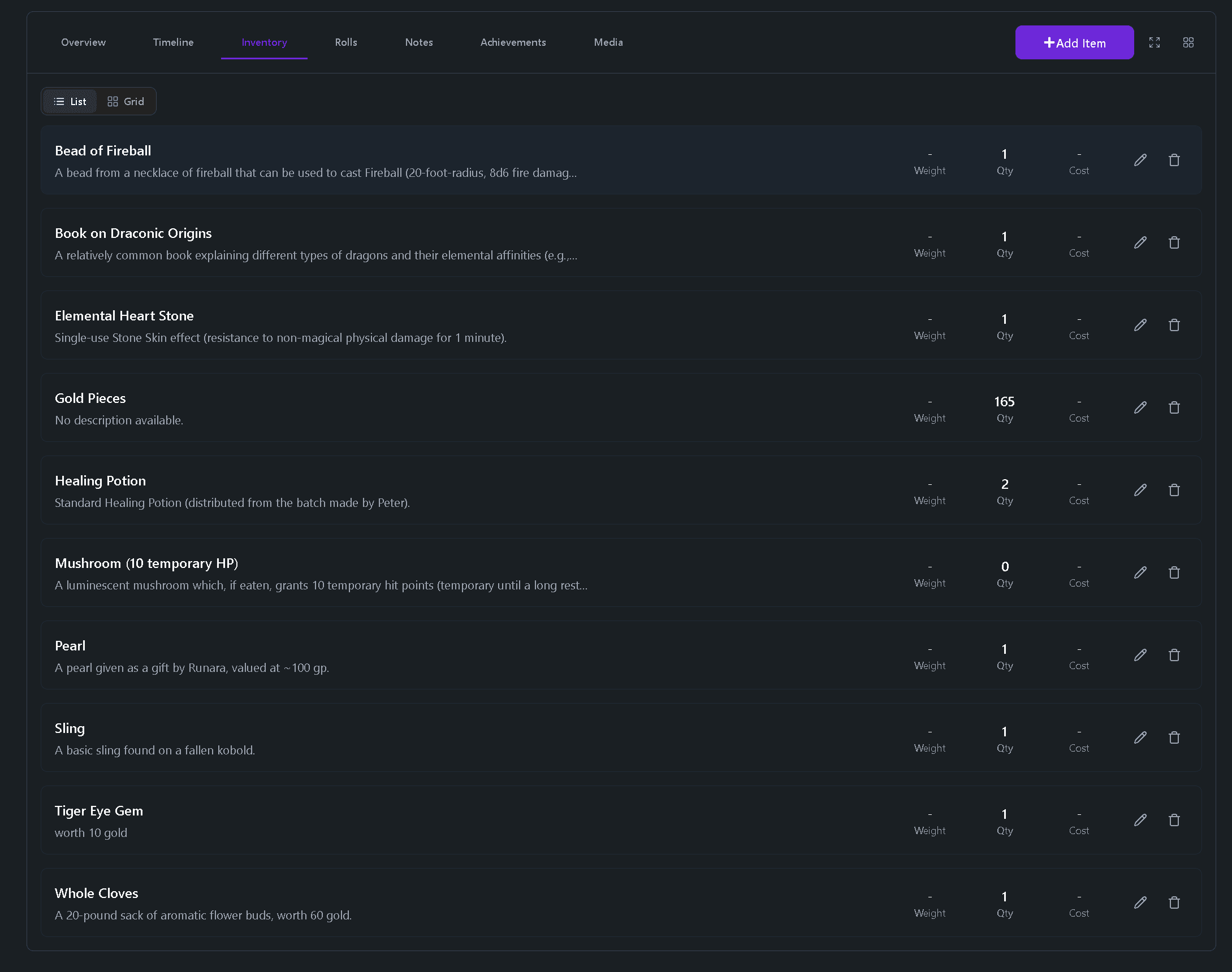
Items the party finds, with quantity, value, and carry weight tracked across the whole party.
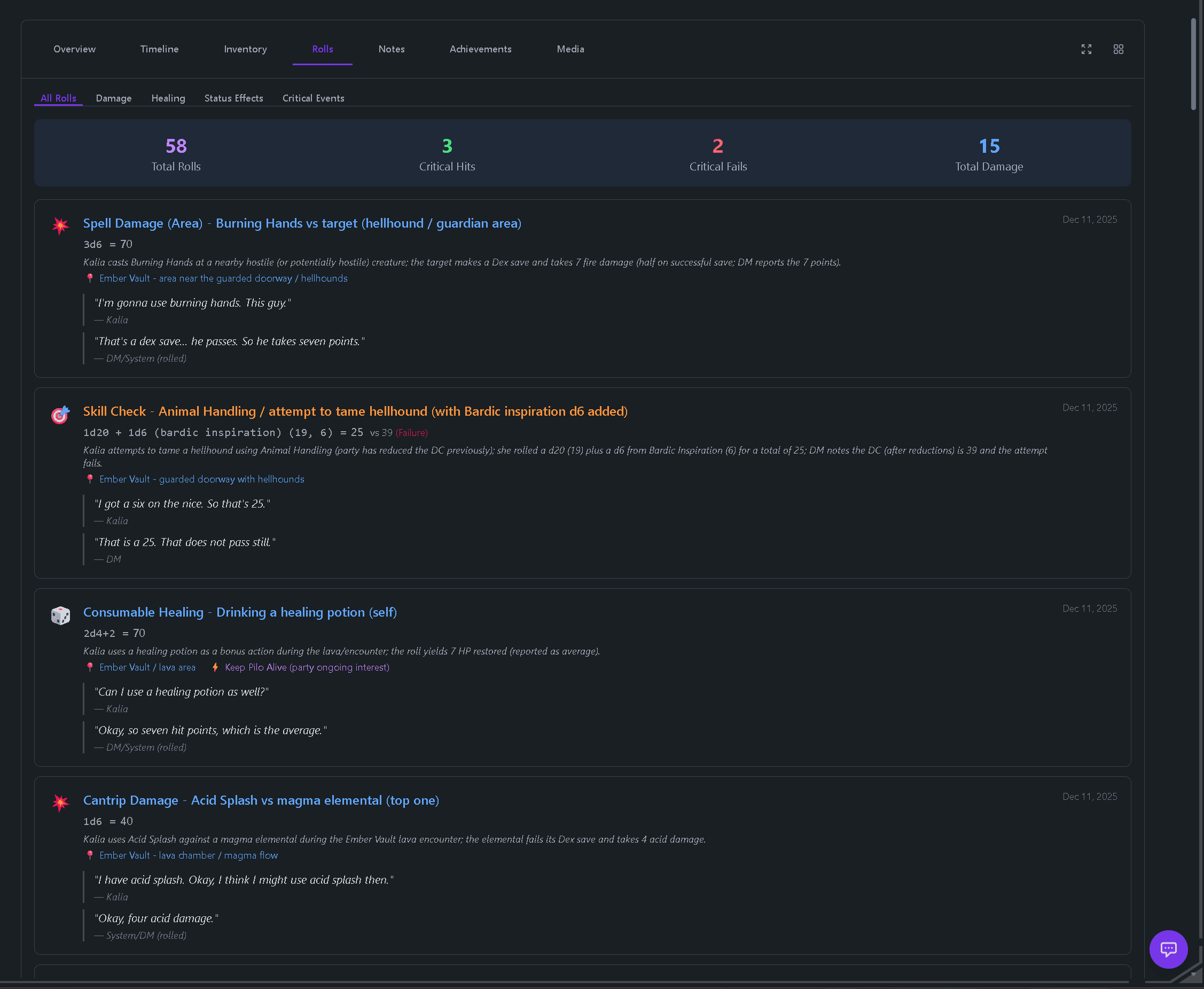
Roll history, crits, damage, and in-session outcomes — the natural 20 your rogue will bring up for years is on the record.
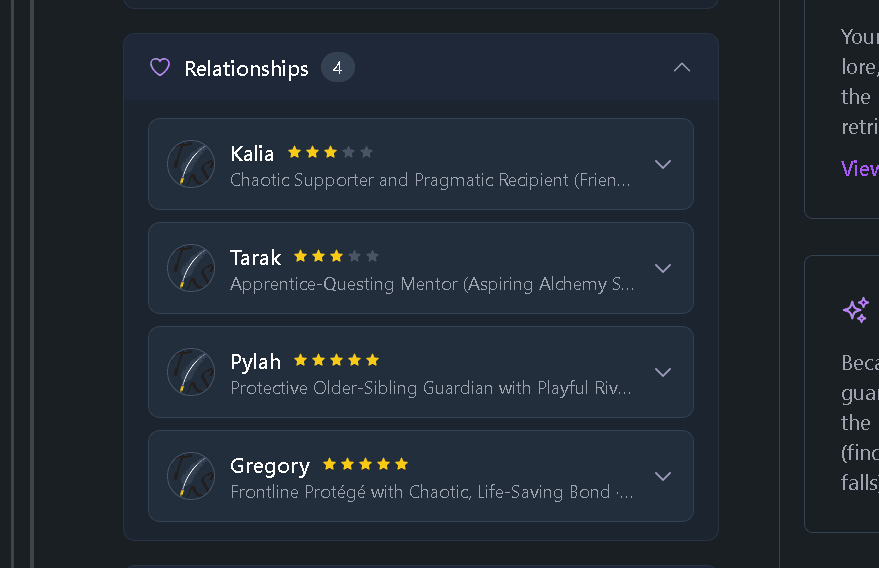
Party and NPC relationships mapped with evolving strength and context, so alliances and grudges stay visible.
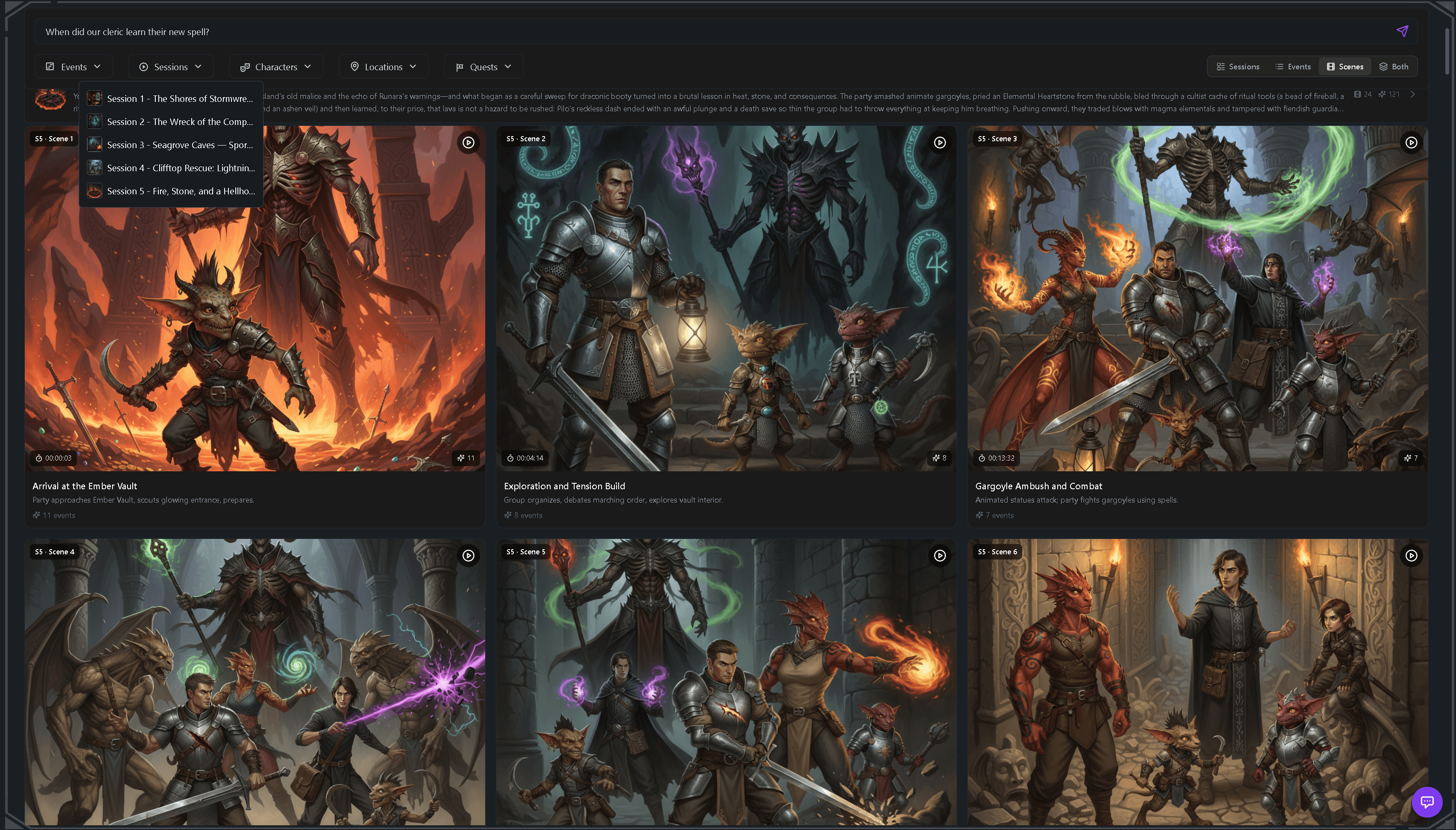
Search across events, characters, locations, quests, and campaign history — each event linked to the exact timestamp in the recording where it happened.
Every session also gets a written recap and a chronological event timeline — see the AI session recap tool for a full sample.
How you capture the session
No extra recording tools to set up. Capture the session where your table already is, and process the recording whenever you're ready.
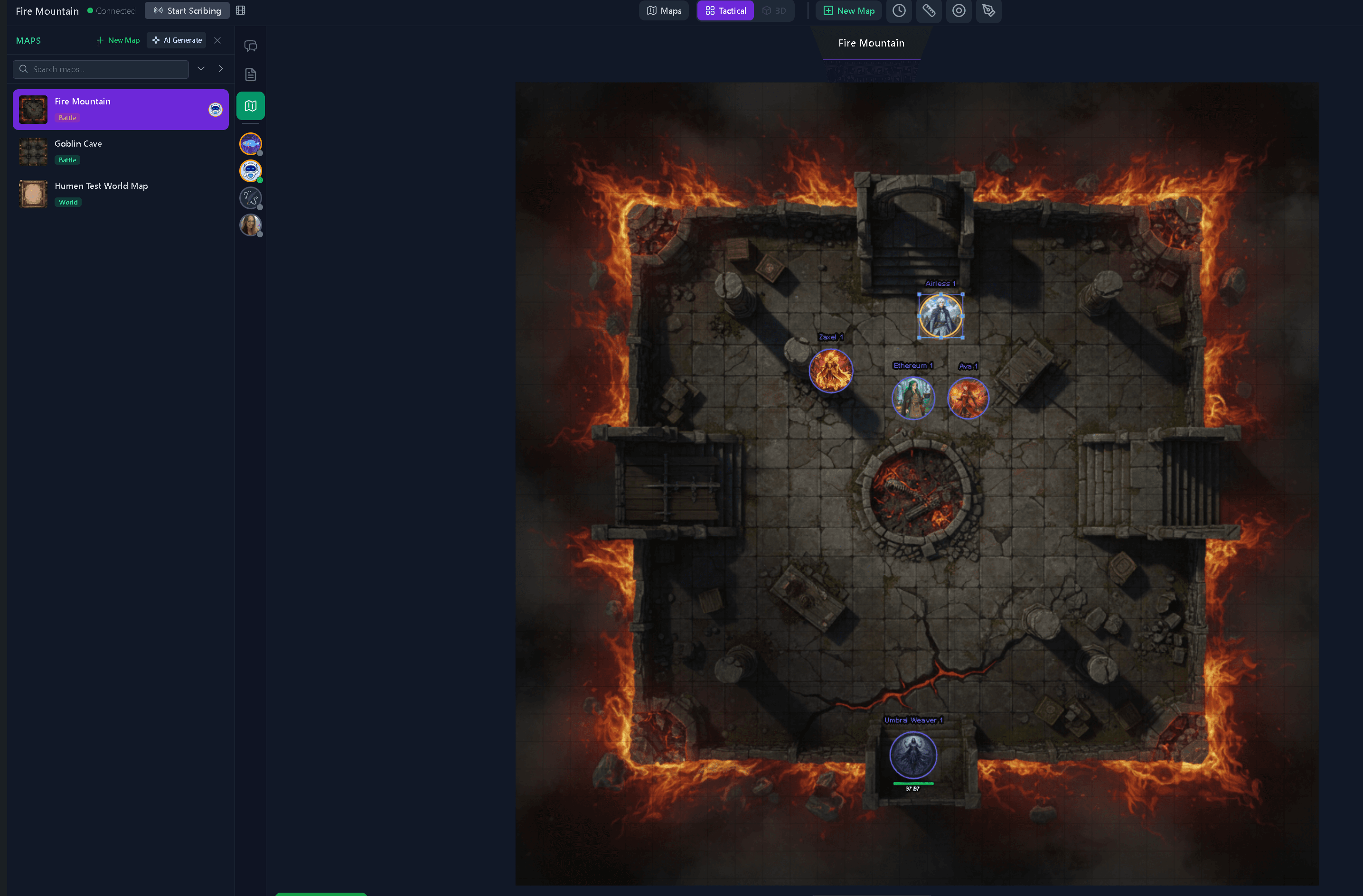
Where you play
Run the session on the free Tavern Scribe VTT — maps, tokens, initiative, party chat — and record it right there while you play. Recordings are saved to your campaign, ready to turn into notes.

Where you talk
Add the Tavern Scribe Discord bot to your server, hop into your voice channel, and start recording with /record start. The audio uploads to your campaign automatically, and recording settings are per-campaign.
However you already record
Already record with a phone on the table, a stream, or a video call? Upload the audio or video file — both are supported — and the notes are generated from there.
Any system
The notes come from what was said at your table, not from a rules database — so the notetaker doesn't care which system you play. If it happened in the session, it can end up in the notes.
An honest comparison
Notion, Obsidian, and OneNote are excellent places to write campaign notes by hand — flexible, linkable, and yours. What they can't do is listen: nothing in them auto-populates from the session you just played. Every NPC name, loot drop, and quest update has to be typed in by someone at the table.
| Capability | Tavern Scribe | General notes apps |
|---|---|---|
| Session notes generated from a recording | Yes | No — notes are typed by hand |
| Character, quest, and loot records that update after each session | Yes | Updated manually |
| Search across every session, linked to recording timestamps | Yes | Searches only what you typed |
| Free-form pages for worldbuilding and personal notes | Yes — collaborative notes | Yes — their home turf |
| A virtual tabletop where the session actually happens | Yes | No |
There are also dedicated AI notetakers for TTRPGs that generate notes from recordings. The difference with Tavern Scribe is where the notetaker lives: it's built into a free virtual tabletop and campaign workspace, so the notes land in the same place you run maps, tokens, initiative, and shared notes — beside the table, not in a separate app.
Questions
Put the pen down
Start free, record your next session on the VTT or through the Discord bot, and let the notetaker do its job. Your first campaign starts with 100 free silver for AI processing — no subscription required.
Keep exploring: the AI session recaps built from the same recordings, the free virtual tabletop where you play, and the campaign newspaper your players will actually read.
