

TL;DR: A D&D campaign tracker template needs six things: a session log, an NPC ledger, a quest board, a loot ledger, a relationship map, and a consequences list. Copy the structure below into a doc, a wiki, or a spreadsheet — or use a D&D campaign tracker that fills it in from your session recordings instead of your typing.
Looking for the tool rather than the template? See the campaign tracker.
Search "dnd campaign template" and most of what comes back is for writing a new adventure — plot beats, encounter outlines, session-one prep. That's a different job from what a long-running campaign actually needs, which is a place to put down what already happened so nobody has to remember it cold three sessions later. This is a template for that second job: tracking a campaign in progress, not planning one that hasn't started.
What goes in a D&D campaign tracker template?
Six categories cover almost everything a table needs to find again:
- Sessions. A short log of what happened, in order.
- Characters and NPCs. Who's in the party, who they've met, and where things stand with each one.
- Quests. What's active, what's been offered and ignored, and what's done.
- Loot and resources. Who's carrying what, and what the party owes or is owed.
- Relationships. How the party's standing with key NPCs and factions has shifted.
- Consequences. The irreversible decisions, and what they changed.
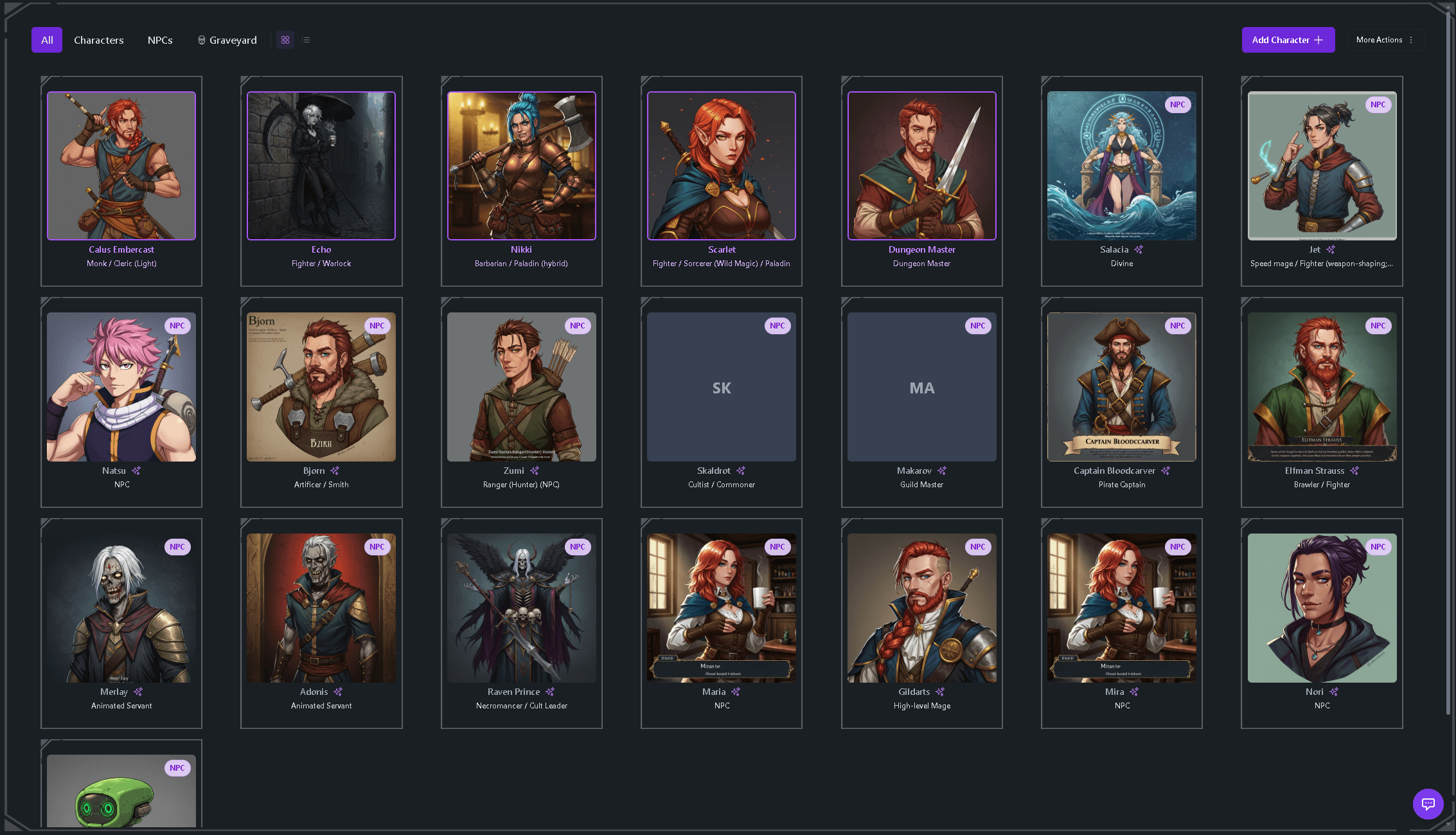
That list isn't arbitrary — it's the same six categories a dedicated tracker builds for you, matching what Tavern Scribe's campaign tracker tracks automatically from a session: character and NPC records, quests, relationships, inventory, dice-roll history, and a chronological event timeline. The template below is the manual version of the same structure; how to track a D&D campaign covers the reasoning behind each category in more depth.
The template: copy this into any tool
Paste this into a doc, a wiki page, or a spreadsheet with one tab per section. Fill in only what applies after each session — leave the rest blank until it comes up.
SESSION LOG
- Session #: date
  Where we started / what we did / what changed / what's unresolved

NPC LEDGER
- Name | Who they are (1 line) | Where things stand with the party (1 line)

QUEST BOARD
- Active:   [quest] — objective, who gave it
- Rumored:  [quest] — heard about, not committed
- Done:     [quest] — how it ended

LOOT & RESOURCES
- Item/holder: [who's carrying what of note]
- Party funds: [running total]
- Debts: [who owes what, to whom]

RELATIONSHIPS
- [NPC/faction] — [party] : [current standing, 1 line]

CONSEQUENCES
- [Session #]: [decision] → [what it changed]
Keep the session log newest-entry-on-top; it's the one section you'll scroll through most. Everything else works better alphabetical, since you'll be searching by name far more often than browsing in order.
Campaign tracker vs. campaign planner — not the same template
A lot of the "campaign template" search results are really campaign planners — structured outlines for designing an adventure before session one, with sections for themes, acts, and major NPCs you intend to introduce. Useful, but it's a one-time document you write once and mostly stop touching.
A campaign tracker is the opposite: it's written after the fact, a little bit every session, and it grows for as long as the campaign runs. If you're about to start a campaign, a planning outline is the right tool and the session zero checklist is a reasonable next stop. If you're already ten sessions in and the NPC ledger is empty, this template is the one to open first.
Filling it in by hand vs. letting it fill itself
The template above costs nothing and works anywhere, but someone still has to type it, every session, for however long the campaign runs. That's the part most trackers quietly die from — not bad structure, just a habit that doesn't survive a late night.
The alternative is recording the session and letting the record build itself. Tavern Scribe does this three ways: play on the built-in virtual tabletop and record right where you play; add the Tavern Scribe Discord bot to your voice channel and it records the session for you (recording settings are per-campaign, so each table controls its own); or upload audio or video afterward from an in-person table. Any of the three fills in the same six categories above — characters, NPCs, quests, relationships, inventory, and a searchable event timeline — with each entry linked back to the timestamp in the recording where it happened. Manual entry still works for anything you'd rather type yourself; the recording path is a floor, not a requirement. For comparison, Notion's D&D 5E campaign database template is a well-built version of the fully manual approach, if your table would rather keep typing.
How often should you actually update it?
Once per session, right after the table breaks, in under fifteen minutes. That's it. If updating the tracker is taking longer than that, you're probably logging things you'll never search for again — combat-by-combat initiative orders, verbatim dialogue, rules arguments. Cut those. A sparse tracker that's still being updated at session 30 beats a detailed one abandoned at session 6.
FAQ
What should a D&D campaign tracker template include?
At minimum: a session log, an NPC ledger, a quest board, a loot ledger, a relationship map, and a consequences list. Those six sections cover what a table actually needs to look up mid-session — who an NPC is, what's still owed, and what the party already decided.
How do I write a D&D campaign template?
Start from the six-section structure above rather than a blank page. Fill in the session log first since everything else references it, then add NPCs, quests, and loot as they come up in play rather than trying to front-load the whole setting before session one.
Is there a free D&D campaign tracker template?
Yes — the code block above is free to copy into any doc, wiki, or spreadsheet. If you'd rather not type it by hand every week, Tavern Scribe's campaign tracker is also free to start, with the same six categories filled in from your session recordings instead.
How is a campaign tracker different from a campaign planner?
A planner is written before the campaign starts and covers things you intend to do — themes, arcs, planned NPCs. A tracker is written after each session and covers what actually happened. Most tables need a planner once and a tracker for the life of the campaign.
Start free — your first campaign comes with 100 silver for the AI parts: create your campaign.
Drafted with AI by the Tavern Scribe team and reviewed by a person. Last reviewed 2026-11-15.
Tags: Campaign Tracking, Dungeon Master Tips, Session Notes, Dnd Tools, Dungeons And Dragons
