

TL;DR — Quick Answer
MCP (Model Context Protocol) is an open standard that lets an AI assistant like Claude read and update data outside the chat window, through a defined set of tools instead of guesswork. For a DM, that means Claude can read your campaign's quests, notes and timeline and, if you let it, create new ones — because the data lives in a real app, not in whatever you happened to paste into the chat.
Want the setup walkthrough instead of the explainer? See how to connect Claude to your D&D campaign. This post is the "what and why" behind that guide, and it points at the features page for the rest of the campaign workspace.
MCP shows up in a lot of AI-tool marketing right now, and most of what's written about it is aimed at developers wiring up their own servers. None of it answers the question a DM actually has: does this help me run my game, and is it something I need to set up myself? The short answer is no setup required on your end — Tavern Scribe already runs the server. This post is the plain version of what MCP is, written for the table, not the terminal.
What does MCP actually mean?
MCP stands for Model Context Protocol, an open standard published at modelcontextprotocol.io for giving an AI assistant a defined set of tools it can call, instead of relying on whatever text you've typed into the chat. A tool has a name and a job: "get the open quests," "search the notes," "create a location." The assistant decides when a tool is useful, calls it, and gets back real data instead of a guess.
The part that matters for a DM: MCP describes the connection, not the content. Tavern Scribe decides what tools exist and what they're allowed to touch. MCP just gives Claude (or any other MCP-capable assistant) a standard way to reach them.
Why would a DM care about this?
Because Claude on its own doesn't know your campaign. It knows the rules of whatever system you're running; it has never heard of the goblin your rogue spared in session three. MCP is the bridge between "an AI that's generically useful" and "an AI that knows what happened at your table" — and the bridge only works if there's something real on the other end for it to read.
That something, for Tavern Scribe, is the campaign you're already keeping: sessions and their recaps, the timeline, characters, quests, locations, factions and your notes. Connect Claude over MCP and it can read all of that the moment you ask it a question.
How does the connection actually work?
Three things happen, in order, every time:
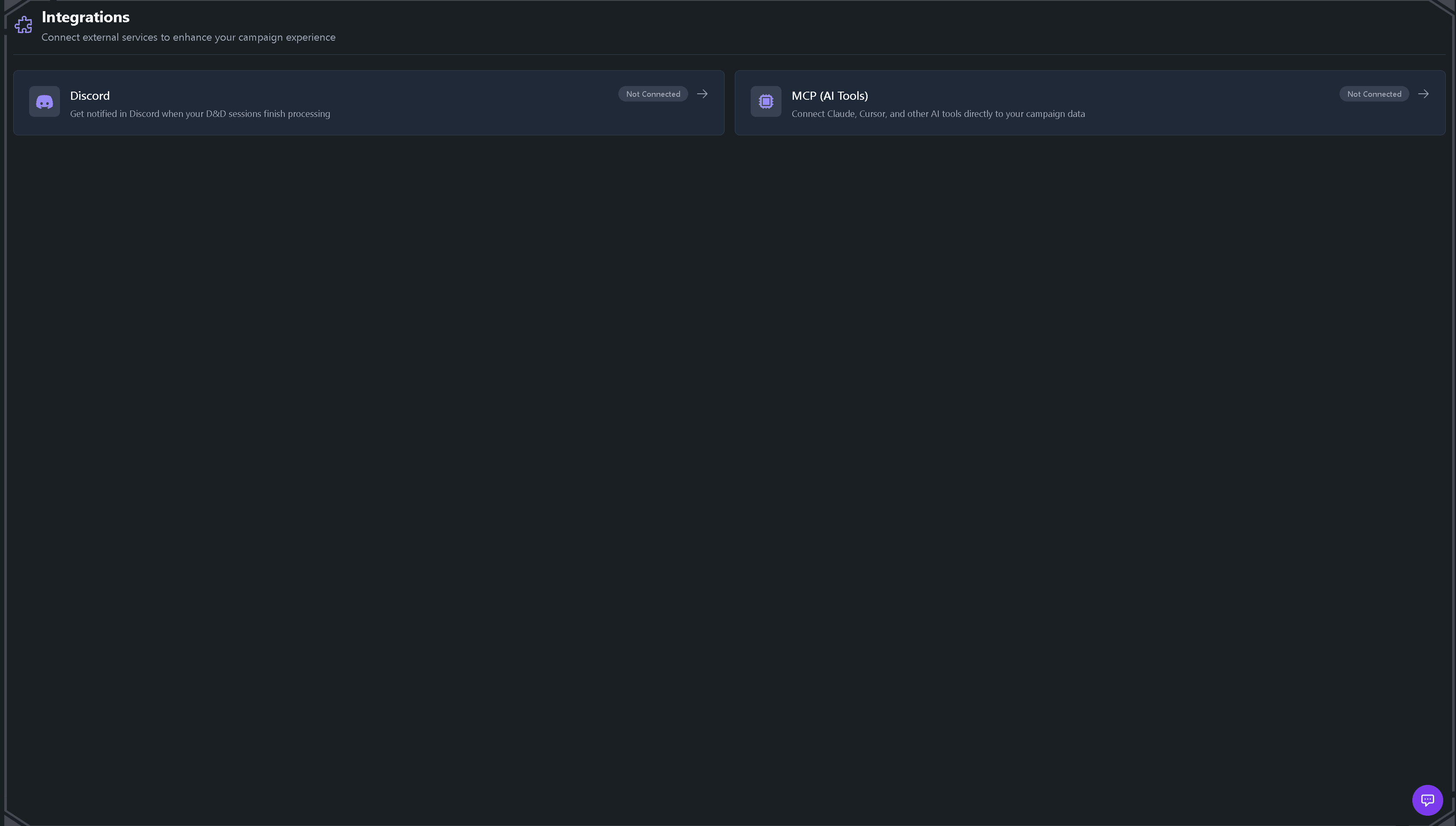
- You authorize it once. In Tavern Scribe, each campaign has its own MCP address (Settings → Integrations, the MCP section). You add that address to Claude as a custom connector, Claude sends you to a Tavern Scribe consent page, and you approve it for that campaign.
- Claude calls a tool when it needs one. You ask a question; Claude decides whether answering it requires campaign data, and if so, which tool gets it —
get_campaign_summary,get_quests,search_notes, and others like them exist on the Tavern Scribe MCP server for exactly this. - Tavern Scribe answers through the same permission rules as the app. The tool call isn't a backdoor; it carries your account and your role in that campaign. A player's connection sees what a player sees. A DM's sees the DM view.
Nothing here requires you to run a server, write code, or manage an API yourself — that's the whole point of a hosted MCP server instead of the raw protocol.
What can Claude actually do with it, in plain terms?
Here's the mapping from MCP concepts to what that looks like at the table, as a quick reference:
MCP concept          What it means for your campaign
--------------------  ------------------------------------------------
Tool                  A named action Claude can take: get_quests,
                      search_notes, create_quest, create_location
Read tool             Claude pulls data out: "what quests are open?"
Write tool            Claude puts data in: "create a quest called..."
Server                Tavern Scribe's per-campaign MCP address — you
                      don't host or maintain this yourself
Consent / auth        The one-time approval step tying the connection
                      to your account and your role in that campaign
In practice that supports things like "summarize what the party knows about the Red Hand so far," "which quests are still open, and who gave them," or "create a quest called The Salt Road Toll and attach it to the Marwick location." The first two are reads. The third is a write — prep you do out loud in a chat lands in the campaign instead of staying trapped in a chat log you'll never scroll back to find.
Is it safe to connect to my campaign?
The consent step is the security model, not a formality. The connection is tied to the Tavern Scribe account that authorized it and to that account's role in that one campaign — a DM-only note stays hidden from a player's connection, and other campaigns on your account aren't reachable through it. You can revoke a connection at any time from the same Integrations settings where you created it.
Reading campaign data through the connector is free. Tools that call an AI model inside Tavern Scribe — generating a portrait or a map, for instance — charge their real provider cost in silver, the same metered currency the rest of the AI features use. Your first campaign starts with 100 free silver, so connecting Claude and asking it questions all evening costs nothing.
How is this different from just pasting notes into a chatbot?
You can always paste your session notes into any chatbot and ask it questions — plenty of DMs already do. The difference is what happens the next day. A pasted note is a snapshot that goes stale the moment the next session starts; you're back to copying and pasting. An MCP connection reads the live campaign, so the answer to "what's still open?" is accurate on session twenty the same way it's accurate on session two, without you doing anything in between except playing and recording the way you already do (see session prep with campaign memory for how the recap, timeline and entity pages build that memory in the first place).
FAQ
Do I need to run my own MCP server?
No. Tavern Scribe runs one MCP server per campaign; you authorize a connection to it, you don't host or configure anything yourself.
Does MCP let Claude see my whole account?
No. A connection is scoped to one campaign and to the role the connecting account has in it. Other campaigns on your account aren't reachable through that connection.
Is MCP specific to Claude?
No, MCP is an open standard, and Claude is simply the client most DMs connect with first. The Tavern Scribe MCP server speaks the standard protocol, so other MCP-capable tools can connect with the same address.
Does connecting MCP cost anything?
Reading your campaign through the connection is free. Only tools that call an AI model to generate something — art, narration, that kind of thing — spend silver, and your first campaign starts with 100 free silver.
Start free, your first campaign comes with 100 silver for the AI parts: create your campaign.
Drafted with AI by the Tavern Scribe team and reviewed by a person. Last reviewed 2026-11-19.
Tags: Claude And Mcp, Dungeon Master Tips, Dnd Tools, Campaign Tracking
